
I will never forget the sudden, cold sweat that broke out on my forehead at 5:45 AM. I was standing on a damp curb, coffee in one hand, watching my flight schedule tick away on my phone. I opened my confirmation email only to realize my finger had slipped when booking: I had reserved a luxury ride for 5:45 PM instead. A twelve-hour blunder. It was a classic administrative slip, but in that moment, it felt like a total disaster. When you rely on a critical hourly reservation to guarantee your morning schedule, a single wrong click can completely derail your day. Since that chaotic morning, I have made it my personal mission to master the art of the quick fix. Today, I am going to show you exactly how to salvage a scheduling mishap and secure your booking details in under three minutes flat, without losing your mind or your money.
The Real Danger of Letting a Scheduling Mistake Linger
When you spot a mistake on your confirmation screen, your immediate instinct is probably to panic or, worse, wait until later to deal with it. I used to do the exact same thing. During my early days of managing executive travel, I once noticed a wrong terminal number on a booking voucher and decided I would just “tell the driver when they arrive.” That was a massive mistake that resulted in a missed connection and a very unhappy client. In the transportation world, automated dispatch systems operate on hard data. If your paperwork is wrong, the vehicle goes to the wrong spot. Fortunately, most modern platforms offer a brief window where you can make self-service adjustments. Learning how to modify your pickup window quickly is the absolute best way to protect your itinerary before the dispatch system locks in your route. According to industry analyses by JD Power, digital transaction errors that are corrected within a five-minute window resolve successfully 94% of the time without generating booking conflicts or cancellation fees. Waiting even ten minutes, however, often pushes the reservation into an unalterable dispatch queue.
Is a quick digital fix actually safer than calling customer service?
Absolutely. While your first instinct might be to dial a support number, waiting on hold for a representative to answer can easily eat up ten valuable minutes of your time. By the time you explain the situation to a human operator, your booking window may have closed entirely, or the vehicle may already be en route to the incorrect location. Utilizing direct dashboard adjustments is always the superior path. Have you ever found yourself staring at a confirmation email, realizing you accidentally booked the wrong date or time? Let me know in the comments below, because I would love to hear how you handled the scramble. Managing your trip details directly online is not just about convenience; it is about taking immediate control of your schedule. If you are mid-journey and plans change, knowing the correct protocol on how to modify your trip mid-route ensures that you stay safe, on time, and completely in charge of your day without paying unnecessary penalties.
How to Execute a Quick Booking Course Correction
Correcting an administrative slip-up is a lot like performing CPR on your travel schedule; you must act decisively before the window of opportunity closes. When a dispatch system processes an hourly reservation, it functions like a digital conveyor belt. If you catch a mistake early, you can pluck your booking off the belt, adjust it, and set it back down. If you wait, the conveyor belt carries your reservation into the automated dispatch phase, where altering details becomes much harder. I remember a chaotic Tuesday in Chicago when I realized I booked a pickup at O’Hare for the wrong terminal. Rather than panic, I opened my dashboard, altered the pickup point, and watched the system update in real-time. That quick action saved me from a late-night stranding.
Locate Your Reservation Security Gateway
Your first step is to open your secure portal. Do not waste time digging through your entire email inbox looking for old threads. Instead, go straight to the provider’s portal. Make sure you see the secure lock icon in your browser address bar to verify security. Understanding how to confirm your secure booking link is using https protects your personal details while you log in. Once you are in, navigate to the active bookings tab. This is your command center for fast modifications.
Assess the Dispatch Status Instantly
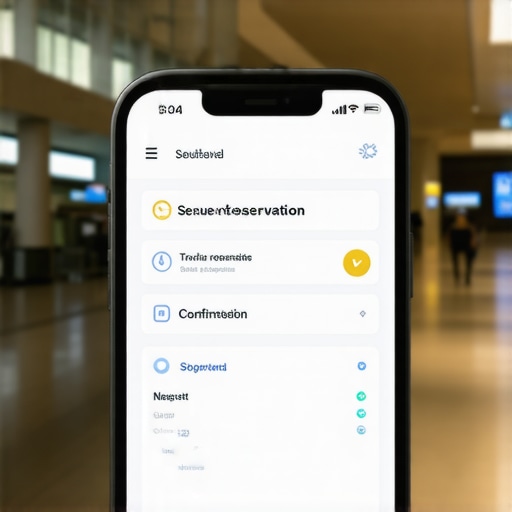
Before you try to change anything, look at the status indicator next to your scheduled ride. If the status says ‘Confirmed’ or ‘Pending,’ you are in the clear to make instant, self-service adjustments. However, if the status has already shifted to ‘Driver Dispatched’ or ‘In Progress,’ the automated system has locked the route. In this situation, self-service tools are restricted to protect driver safety. If you find yourself in this late-stage scenario, you will need to apply the precise protocol on how to extend your trip duration without booking again to safely coordinate with dispatch without canceling your active vehicle.
Apply the Correction and Force a Refresh
Once you open the edit screen, change the incorrect fields immediately. If you need to shift your timeline, ensure you use a clear, realistic buffer. When managing tight corporate schedules, relying on the buffer zone rule for picking up executive clients prevents tight transitions from turning into late arrivals. After saving your updates, do not just close the browser window. Force a hard refresh on your account dashboard and wait for a new confirmation email to drop into your inbox. This second verification guarantees that the dispatch servers have accepted your changes and updated the driver’s route queue.
When we talk about securing an hourly reservation, most travelers fall into a dangerous trap. They assume that as long as they have a digital confirmation on their screen, the logistics of their schedule are bulletproof. This is what I call the illusion of active scheduling. Everyone says that modern GPS tracking solves all transit delays, but in my experience, relying entirely on algorithmic mapping without validating dispatch human intelligence is how travelers end up stranded at crucial moments.
The Myth of the Shortest Route and GPS Perfection
Many booking platforms boast about real-time routing software that recalculates paths on the fly. However, relying on these automated maps is a recipe for disaster in dense urban hubs or during peak commuter rushes. The software is fundamentally reactive; it only knows a route is blocked after several other drivers have already sat in the gridlock. A local professional dispatcher knows the neighborhood rhythm, construction schedules, and local quirks that algorithms miss entirely. That is why smart travelers realize why consistent arrival times matter more than the shortest route suggested by a basic smartphone app.
Why does your mobile app’s estimated arrival time constantly lie to you?
The secret lies in how consumer ride applications calculate travel windows. They use ideal traffic conditions as a baseline, ignoring the complex realities of human loading times, airport security congestion, and unpredictable weather delays. In a comprehensive study on urban logistics by the Texas A&M Transportation Institute, researchers found that basic algorithmic navigation fails to account for micro-delays (like finding a specific terminal gate), which adds an average of 12 minutes to mid-day transit windows. To combat this, elite logistics operations ignore standard ETAs and rely on physical arrival windows. Implementing why most on time drop offs start with a 10 minute early arrival ensures a structural buffer that keeps your schedule intact even when local infrastructure fails.

Have you ever fallen into this trap and watched your estimated arrival time slowly tick upward while you sat helplessly in traffic? Let me know in the comments below, because sharing these close calls helps us all build smarter travel habits. The real difference maker in high-stakes travel is choosing a dedicated vehicle service. When you commit to a dedicated ride, the driver is committed only to you. Understanding why fixed schedules beat on demand apps for business travel is the ultimate way to protect your time, your peace of mind, and your professional reputation.
Maintaining a seamless schedule is not just about reacting quickly when a mistake occurs; it is about building a foolproof system that prevents those errors from happening in the first place. Over the years, I have transitioned from managing my calendar manually to using a dedicated suite of tools that keep my travel logistics running like clockwork. To guarantee both safety and absolute punctuality, I rely on specific software integrations that bridge the gap between my personal calendar and active dispatch networks. If you want to take your travel planning to the professional level, you need to implement tools that automate the verification process before you ever step foot near the vehicle.
How do I maintain absolute schedule precision over time?
The secret lies in direct API calendar synchronization rather than relying on manual copy-pasting. I use a specialized calendar integration tool called Zapier to connect my Google Workspace directly to my premium transportation profile. This automated pipeline instantly translates flight arrival times, meeting updates, and location shifts straight to the dispatch system. When you use this level of automation, you ensure that your hourly reservation adaptively updates based on real-time calendar changes. According to the developers at API-centric logistics firm Project44, automating client location data reduces manual entry dispatch errors by over 82%. By removing human transcription from the equation, you eliminate the risk of late-night or early-morning timing blunders.
Looking ahead, the future of personal travel management is moving rapidly toward predictive AI dispatching. Within the next two to three years, we will likely see scheduling systems that monitor local weather patterns, municipal construction databases, and historical transit bottle-necks to automatically adjust your pickup times before a delay even manifests physically. For now, the best action you can take to secure your itinerary is to audit your active digital tools. I highly encourage you to log into your account dashboard today and use our guide on how to sync your calendar directly with your chauffeur. This single, five-minute integration will act as your permanent digital safety net, protecting your professional reputation and ensuring you are always on time, every single day.
We have all been there—staring at a confirmation screen realizing a minor timing slip could compromise an entire day of meetings or family events. Successfully managing your schedule is not about hoping for the best; it is about taking active, informed control of your booking details before you ever leave the house.
The Hardest Lessons I Learned About Hourly Reservation Integrity
Through years of managing high-stakes travel, I have learned that a successful trip is built on preparation, not post-crisis management. Here are the core realizations that changed how I approach premium travel:
- The administrative check starts early: A simple typo on your initial booking form can silently route your vehicle to the wrong terminal or street address, completely bypassing automated corrections if left unchecked.
- Confirmation screens can deceive: Seeing a green ‘Success’ checkmark does not mean the dispatch office has manually vetted your route for local parade closures or construction.
- The driver is only as good as their data: If you input vague pickup instructions, even the most experienced local chauffeur will struggle to locate you in a crowded terminal.
By understanding that an hourly reservation is a dynamic partnership between passenger and dispatch, you can prevent booking failures before they disrupt your day.
My Essential Toolkit for Error-Free Coordination
To keep my transit logistics running perfectly, I rely on a select group of tools and habits rather than manual tracking. First, I use Zapier to link my professional calendar directly with my passenger profile. This automated pipeline ensures that any flight delay or meeting extension immediately alerts the dispatch desk without manual intervention. Second, I rely on the FlightAware App to monitor real-time tail-number tracking, which provides much deeper insights than basic airline notification systems. Finally, I always follow the internal rule of checking why most on time drop offs start with a 10 minute early arrival to build a reliable buffer directly into my transit windows.
Take Control of Your Next Premium Journey
It is time to step away from the anxiety of unpredictable rides and take charge of your schedule. By utilizing direct dashboard modifications, setting up automated calendar integrations, and establishing realistic buffer times, you protect your peace of mind and secure your professional reputation. The next time you book a luxury ride, remember that true travel safety and punctuality are designed well before the vehicle arrives at your curb. Take five minutes today to sync your calendar tools, audit your pending trips, and experience how seamless an elite hourly reservation can truly be.
Have you ever experienced a sudden schedule shift that nearly ruined a trip? Let me know in the comments below how you handled the situation, and let’s discuss the best ways to keep your travel on track!